Open the Briefing
Start with the short version: what changed, what matters today, and what deserves a look.

The Brivvvy Intelligence Engine can watch many different signals. The Command Center is where those signals become understandable and how to use them: what changed, why it matters, what has already been prepared, and what still needs your judgment.
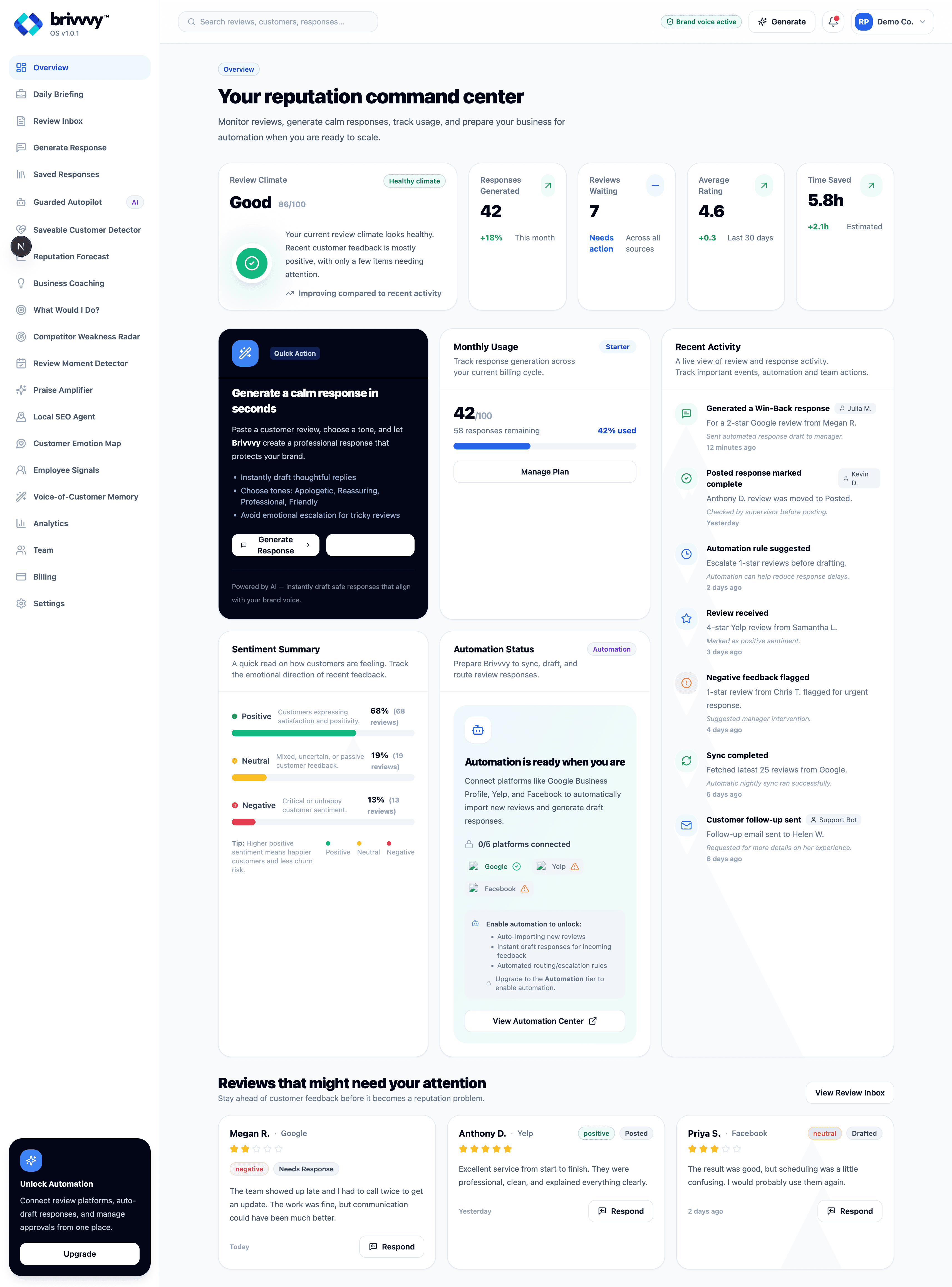
The Command Center is the place you check in with Brivvvy. On a normal day, that can be a few focused minutes: read the Briefing, scan the priorities, review anything waiting for you, and get back to the business. When something deserves more attention, every summary can become the doorway into much deeper evidence, analysis, and action.
Start with the short version: what changed, what matters today, and what deserves a look.
See the few items Brivvvy believes are worth your attention instead of sorting through every signal.
Review anything Brivvvy has already drafted, investigated, or prepared for your approval.
If the business looks healthy and nothing needs your judgment, your daily check-in can end here.
Open any signal, recommendation, customer pattern, forecast, competitor finding, or specialist area for more detail.
Brivvvy keeps monitoring in the background so the next check-in starts with a current operating picture.
The Overview and Daily Briefing give you the fast operating picture. The rest of the Command Center is there when you want to investigate: reputation movement, customer recovery, competitor weaknesses, forecasts, local visibility, customer emotion, coaching, review moments, employee signals, analytics, and the history Brivvvy has learned from your customers.
You do not have to use every area every day. Think of them as specialist workspaces behind the check-in: open the one that matches the question you have, inspect the evidence, and stay as long as the situation deserves.
The deeper areas are not there to create more dashboard time. They are there when you want Brivvvy to help investigate something specific, explain why it matters, and give you a practical next move.
Find unhappy customers who may still be recoverable and understand what went wrong.
Use forecasting to understand where reputation or customer sentiment may be heading.
See recurring complaints and service gaps that may reveal a practical advantage.
Review local-search opportunities, reputation signals, and areas that deserve attention.
Bring the available evidence together when you want an owner-level recommendation.
Brivvvy's goal is not uncontrolled autonomy. What it is allowed to do depends entirely on user permissions, business settings, confidence scores, risk, provider constraints, and whether an action can safely be reversed. You are in complete control.
The Command Center should make background work visible. Recent activity and work reporting can show what Brivvvy monitored, discovered, prepared, completed, or escalated without forcing the owner to reconstruct the story from raw logs.
That visibility matters for trust. The point is not to make the system look busy. It is to make the owner's relationship with Brivvvy understandable.
Brivvvy can surface the change and show why it deserves attention.
NowDrafts and recommendations can be waiting before the owner opens the Command Center.
6 minutes agoSensitive or uncertain work can stop for review instead of silently moving forward.
10 minutes agoImportant recommendations should remain understandable through signals, assumptions, and confidence.
14 minutes agoThe Brivvvy Monthly Evidence Ledger gives you a recurring record of the meaningful evidence behind the month: what Brivvvy observed, what it recommended or prepared, what was approved or completed, and the outcomes or follow-up signals that were available afterward. It is designed to make Brivvvy's value inspectable instead of asking you to remember dozens of daily interactions.
Every paid plan uses the same Command Center. The plan determines which sidebar areas are active, which metrics and intelligence are available, and how deeply Brivvvy can support or automate approved work. The interface stays familiar as the relationship grows.